Citrix Pentest
Created on Mon. 16 Feb 2026

Well well, I am back after a year of working, playing video games and babysitting I'm back on the grind. I started working on my projects again and this blog. Today we will talk about something i did not see a lot of in pentest talk. Citrix.
For those of you that are like me totally new to citrix. Basically it's this cloud platform that allows you to run apps in VM's in the cloud on a corporate network. Since it allows users that have access to it run apps inside of a corporate network it's obviously an amazing target for a pentest/redteam engagement since it allows you to just have a virtual machine already in the target company network and run basically whatever you want through it. Now Citrix doesn't limit itself to virtual desktops. Sysadmins can fine tune the individual apps available inside of the Citrix store that a user can see.
What it looks like to end users
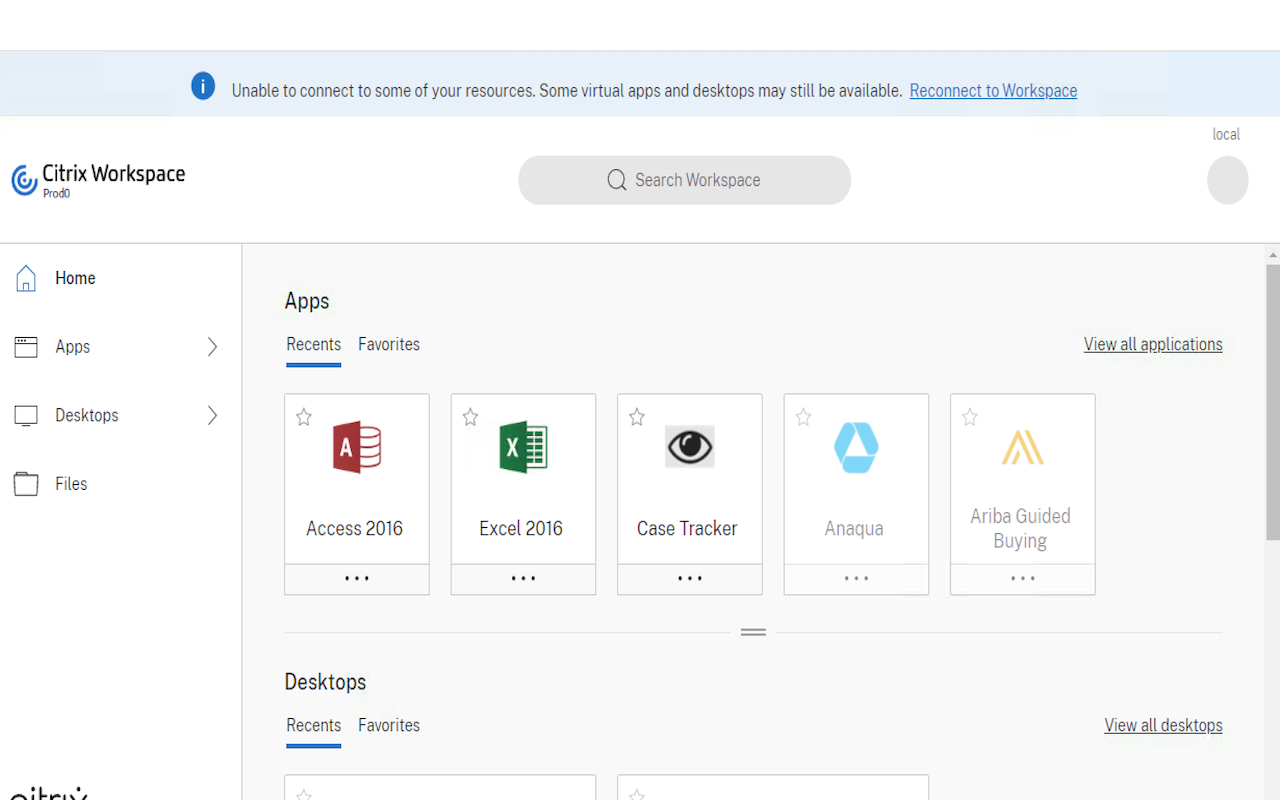
For an end user citrix is quite seamless you have a web-link that you can visit and see all your apps citrix will prompt you to install it's software (Citrix Receiver) then on your web-browser after logging in you can just click on the application and it will run:
Application breakouts
Now from what was previously explained you can make a small mental picture of what is going on. This website is running applications on a target network and on your machine you can interact with them. Something basic we can try is just application breakouts like for example getting to run cmd.exe from chrome! Note I am running all of this locally for the showcase but during a pentest you would have access to the target net. So on the citrix website we would click the application chrome wait for it to open. The we could do <Ctrl-O> shortcut to open a file then navigate to C:\windows\system32\ and execute cmd.exe
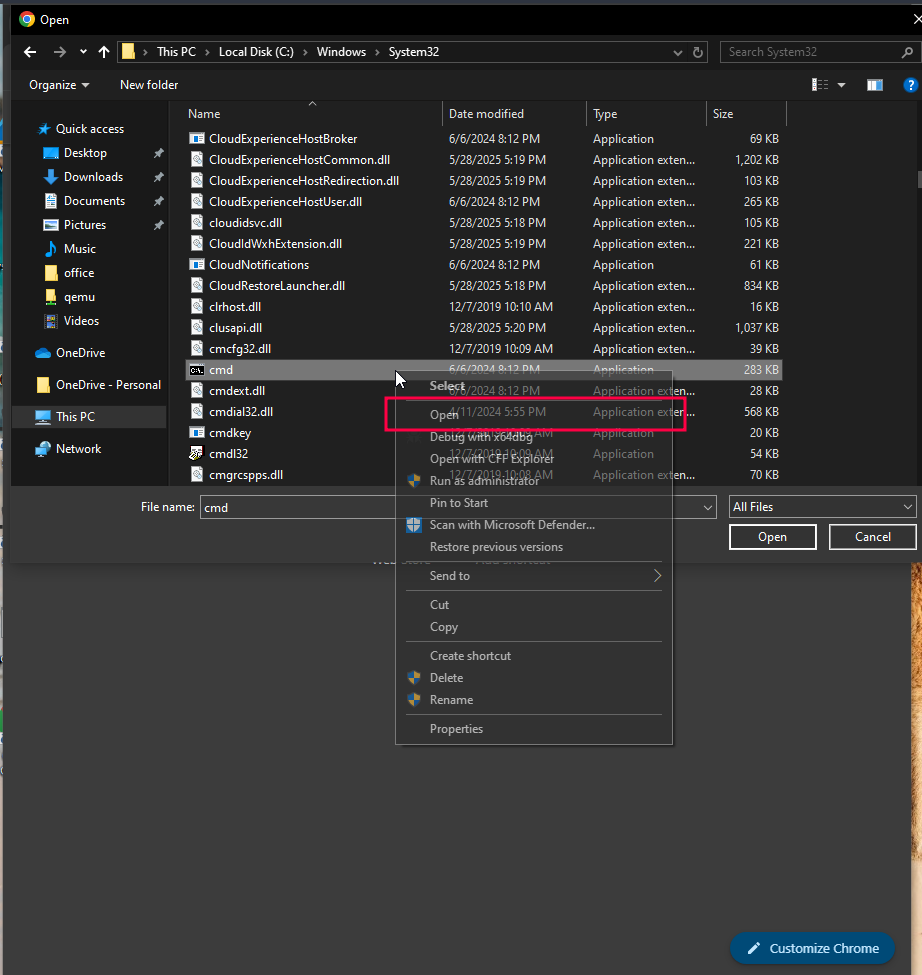
Here you go from there you have a shell on the machine usually citrix are like little Virtual Machines so it's nothing crazy but it is still a shell inside of the target network from the outside. This is a big problem if the citrix network is also the same as other AD components it's a free entry to the corporate network.
Inspecting the citrix website
If you start looking into the web interface you will realize a few things inside of the source tab you will realize that there is a custom.js section
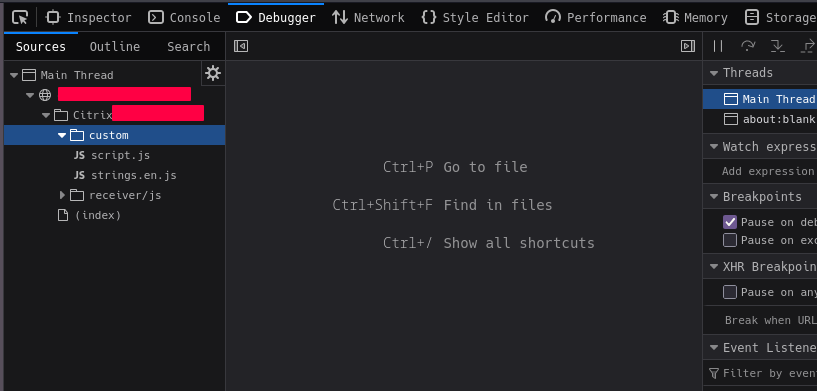
Yes citrix allows you to customize the GUI of the website for sysadmins to make it match the theme of the company limit the shown apps on the website / potentially hide cool stuff there. After digging through a lot more of that website i also discovered a few api endpoints that list out applications and their configuration. This is where I knew i needed to make a script that automated this recon phase and potentially allowed me to start the applications from my hacking machine.
Citronx
Now "introducing" citronx a linux python script that will inspect for you a citrix store from and give you a cute GUI to run the apps from a linux machine.

Now citronx has 2 main functionality a scanner that will get all of the application information that is on the store front available to the user, the custom.js code to see what kind of cool stuff could be found on it, the authentication types and finally the configuration of the store front. Yes the API is super generous but you do need valid credentials to get this info ^^
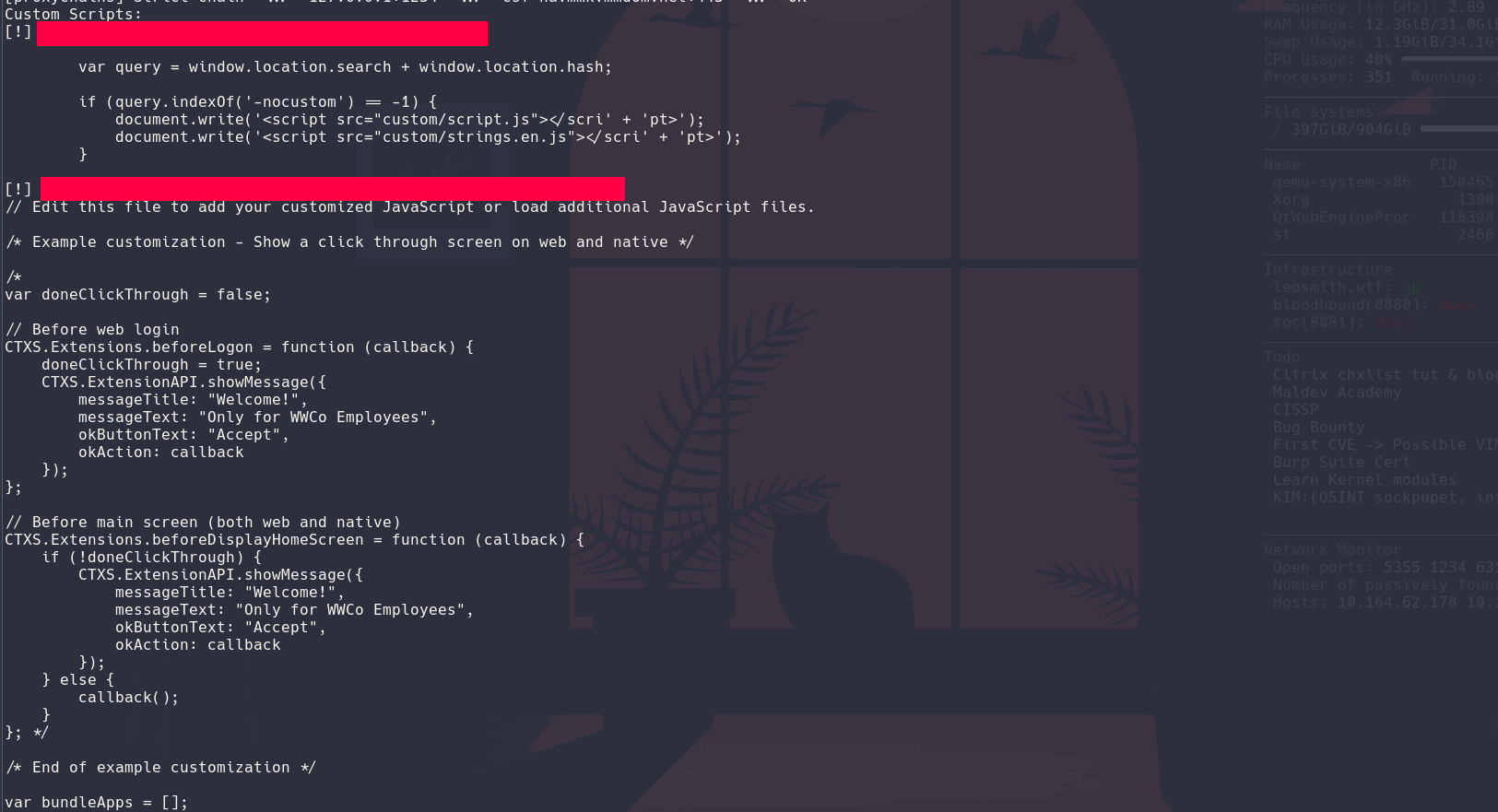
From there citronx has a cool gui where you can view the apps and if configured correctly run them:

Citronx uses config files that are presented like so:
          {
              "server": "url_to_storefront",
              "run_ica": "/linuxx64-install/wfica.sh",
              "secure": true,
              "users": [
                  {
                      "username": "domain\\username",
                      "password": "password"
                  }
              ]
          }
You can see that users is an array. citronx supports batch users so that if you get credentials you can just populate this config file and quickly check if you got new apps ^^.
Thank you for reading this quick blog post on citrix pentesting I hope you liked it please checkout my tool on github if you ever run into citrix on your pentests you could totally use this tool :) Follow me on github and stay tunned for my next p3ng0s release :)
Links
p3ng0s

Questions / Feedback
Stickers & Donations
If you like the content of my website you can get the amazing stickers from this websize. You can also support me through my github sponsors page.