p3ng0s devlog #1: Linux pentest automation
Created on Thu. 09 April 2026
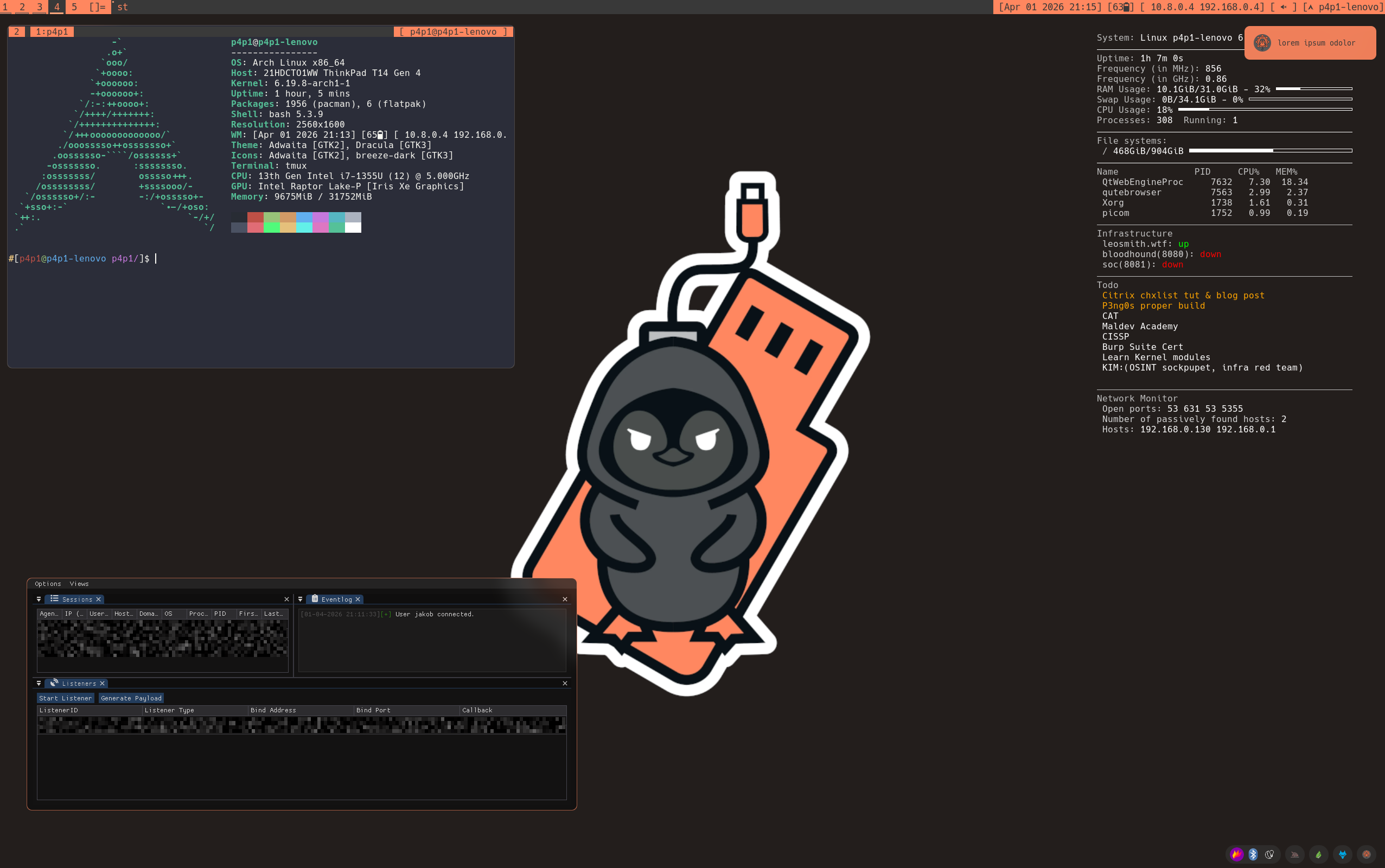
These posts has been In the making for a while and I am happy to finally push it out. Please take a coffee and read this one and the following ones to the fullest I put a lot of time in building this compared to the other projects :)
p3ng0s: A live linux distribution designed by me for physical engagments and red team automation.
Back in 2014 I started hacking I used to boot kali linux from a USB stick and walk around with it everywhere I love the concept of booting from a USB stick. I don't know why but that was my thing I loved the stealth behind it I loved having all my tools available here and there ready to be deployed the second I get an unattended computer. I actually used to use the ophcrack tools to dump SAM and SYSTEM hives form random laptops I could get my hands on not to do anything crazy but because I could :).
p3ng0s
Originally being a dev at my core since that's more or less how I started I wanted to have my custom environment available at every job I would work at without spending hours setting up a VM with all my config present. This is where I thought I should just deploy my own linux distro since I spend hours every time I reset a VM or switch jobs re-installing all of my tools one by one. This was where p3ng0s was born:
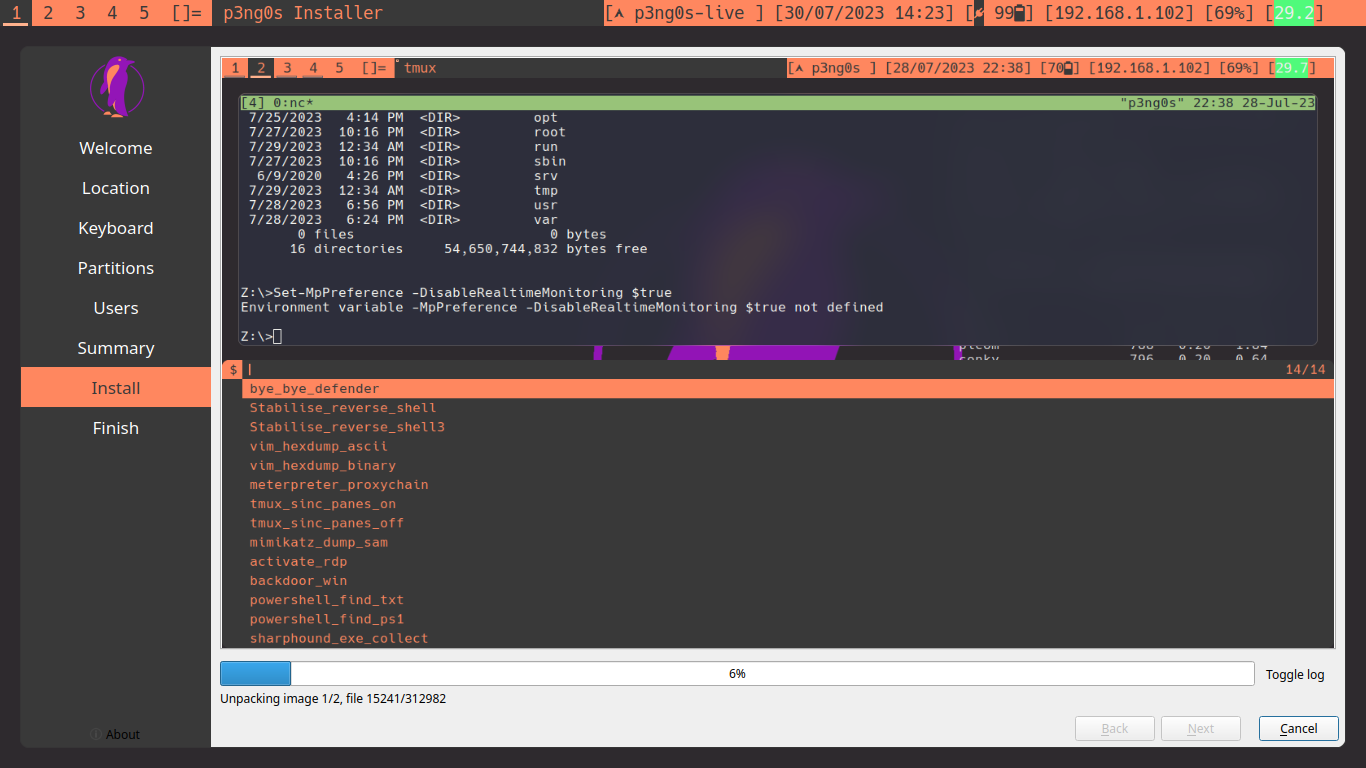
If you want to know more about the history of p3ng0s go Here. After a bit of maintaining that project a clear problem was showing itself was the bane of every distro maintainer dependency hell. I was growing fed up with calamares the GUI installer breaking every build and having tools change around their dependencies having to switch around every two weeks what AUR package I need to update etc...
Because of my college degree I do sometimes think more like a startup
than an open source dev and instead of putting up with it and fixing the
dependencies I thought let's pivot. Technically speaking most tools I
just build them from source I used to just have a huge bash script where
I would clone every pentest tool and then from there I would do python -m venv .
then install everything from that virtual environment container thing.
And i would then run the tools from that folder especially pentest tools
I never installed them system wide. I wanted my .iso to have the same logic!
git-apocalypse.py
To avoid this dependency hell I rewrote git-apocalypse, the big bash script previously mentioned, to include everything. Make it dumb and simple for me to maintain
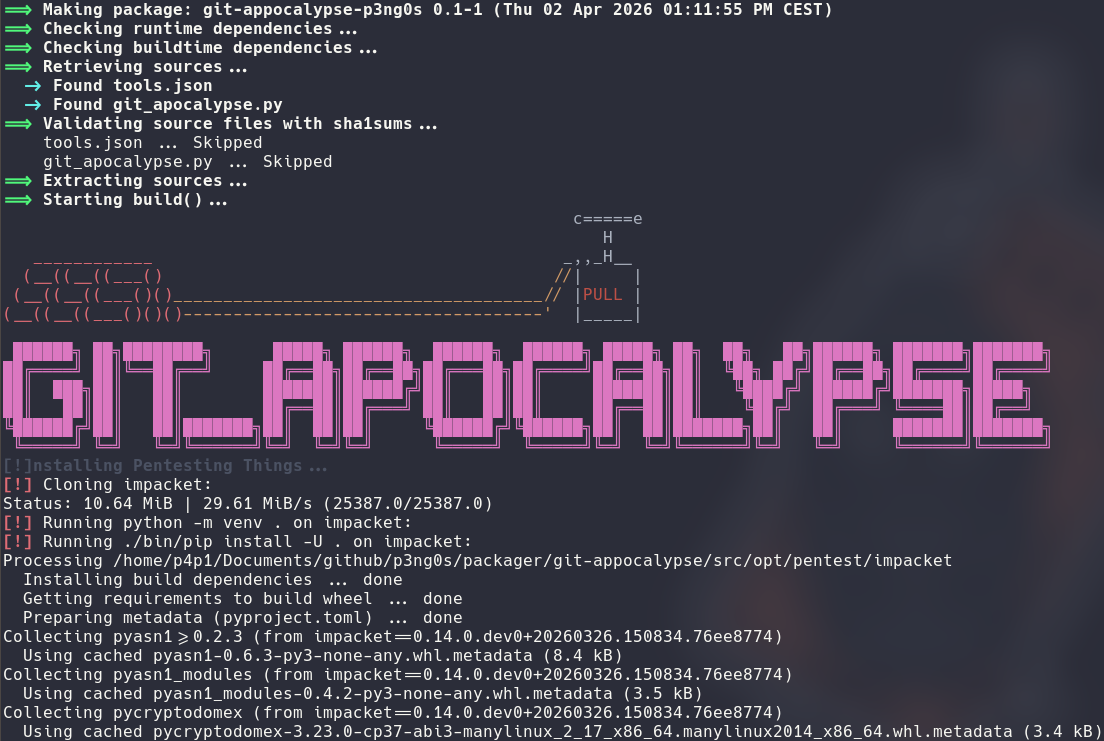
The concept was dumb but I wanted to have it just work from a .json file
and clearly just do for me the commands I would do when installing from
source. So I finished with something super basic: Clone the repo -> Run the install commands -> Install in /opt.
From that logic the .json wrote itself
{
	"pentest_tools": [
		{
			"name": "impacket",
			"url": "https://github.com/fortra/impacket",
			"install": [
				"python -m venv .",
				"./bin/pip install -U .",
				"find \"./bin\" -type f -executable -exec sed -i \"1s|#!.*python|#!/opt/pentest/impacket/bin/python|\" {} +"
			]
		},
Yes it's not the fanciest tool ever made but it does exactly what my needs where. From that rewrite there was always something bugging me on my distro is that I knew how things like services and udev worked but I never actually had experience in them. After spending a whole night bother AI and googling a bunch of stuff I started understanding my system better and things did balloon into the whole rewrite of p3ng0s.
udev / systemd
The way I understood this was actually super basic udev is like the nervous system and systemd was more like the brain of a linux computer. After getting that general understanding out of the way I thought wow it would be so cool if I could have something run right when i plug something in to my computer for example why not put a wifi card in monitor mode automatically on boot. This is where I got AI to vibe code me a POC
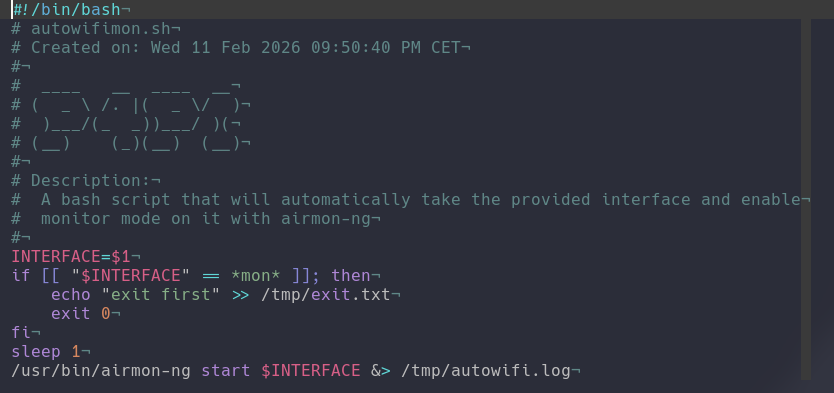
The POC was actually working so well I thought this needs to be in the .iso! This script was actually running through a simple service and was configured with a basic udev rule that says if we find a new wifi card with the following vendorID and productID run the script against it:
ACTION=="add|bind", SUBSYSTEM=="net", KERNEL=="w*", ATTRS{idVendor}=="VENDOR_ID", ATTRS{idProduct}=="PRODUCT_ID", TAG+="systemd", ENV{SYSTEMD_WANTS}+="auto-wifi-mon@%k.service"From seeing the power of this I thought what if there was a way for me to get my plugged in USB devices set with the correct permissions to boot from them directly with my old qemu scripts. So after this i switched out my VM stuff to have it properly working without needing to run everything as root all the time:
SUBSYSTEM=="block", KERNEL=="sdb", GROUP="kvm", MODE="0660"
SUBSYSTEM=="block", ATTRS{idVendor}=="VENDOR_ID", ATTRS{idProduct}=="PRODUCT_ID", GROUP="kvm", MODE="0660", TAG+="qemu_drive"
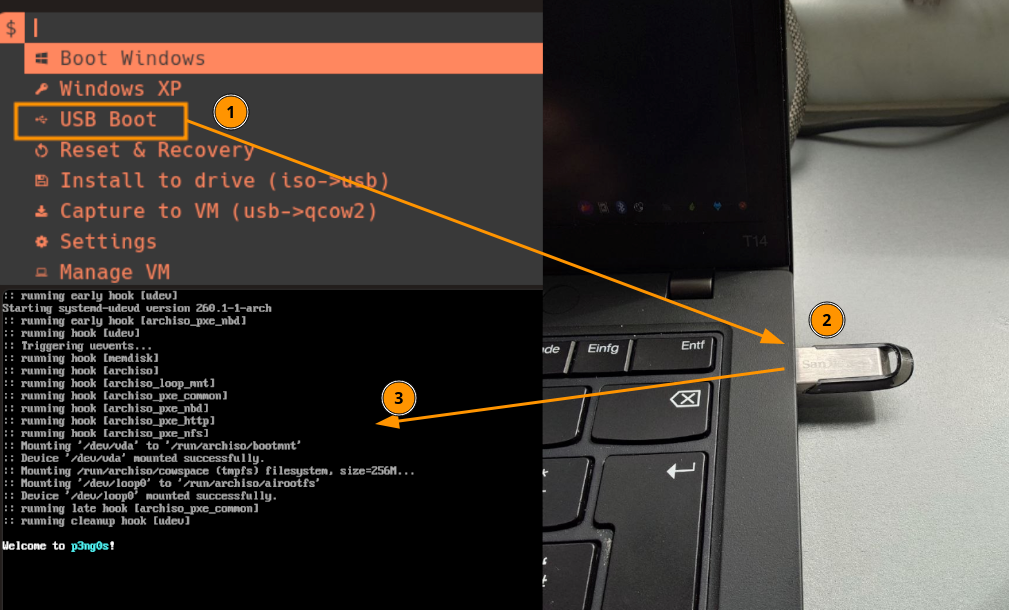
With this group I was then able to just plug a USB in and boot from it using one of my already made scripts without running in the whole running as root issues:
Loot System
This is where I was reminded of a V0 p3ng0s issue I had. I made this little
tool called os_killer.sh that would dump the hashes of a machine
to /tmp/ and it was supposed to be ran on a .iso but on reboot those hashes
would be lost unless backed up via some complicated way with connecting
the machine to a network you control or taking a picture of the output
with a phone. From there I thought what if we could have the .iso have a
separate partition that is basically a normal USB stick where we could have
the loot data inside of it.
I then decided to rebuild the whole .iso and push the idea of a live system only to it's fullest! So implementing the LOOT system wasn't that hard I actually had to ditch flashing the .iso to a USB stick with balena etcher and start using a custom flasher that would partition the drive correctly for me.
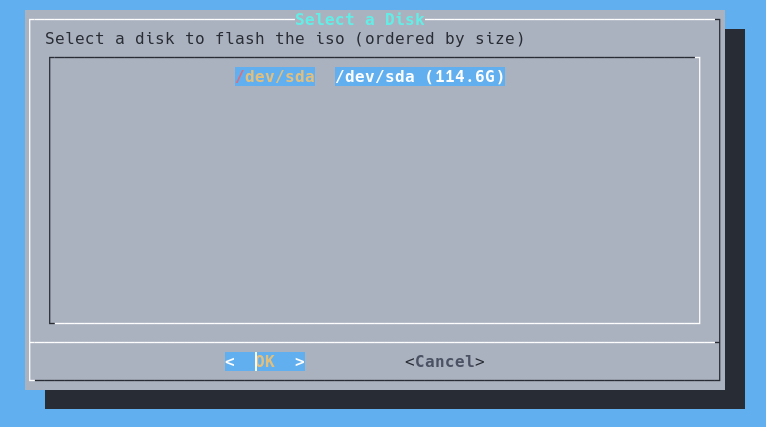
Once the core concept was coded out and I was able to flash the drive
I then moved on to getting systemd to mount the drive for me at boot.
Originally I was thinking of doing all of /home/p4p1-live/
But that was a little annoying in practice since that means on the drive
you would store your dot files and whatnot and that's not what I wanted
so I made it in a way so that it would create a $HOME/loot
folder that would then be accessible by all users so that all of the
dumped credentials are easily accessible!
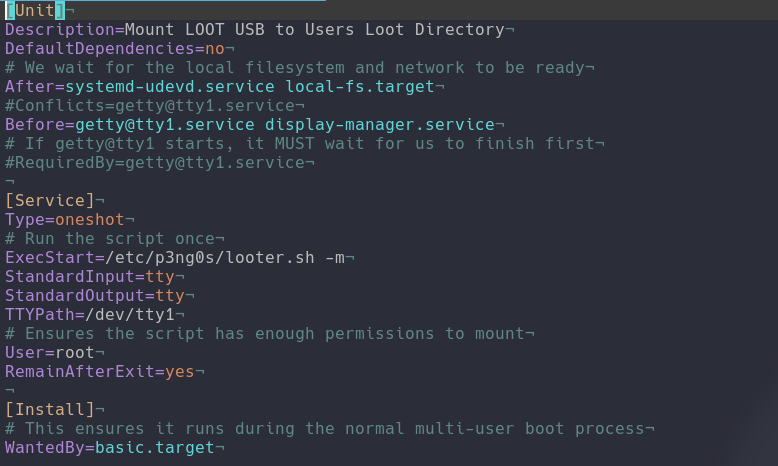
The main issue this this service was the following: Have it be the first
thing to run in the system basically everything that is user dependent
like the login and whatnot should first wait for this service to finish.
This concept was achieved via: Before=. This is what tells
systemd to wait this service to finish before running the other specified services.
With this folder set in stone and mounted before everything else we actually
can control a lot more of what p3ng0s does and the possibilities are endless...
Automation
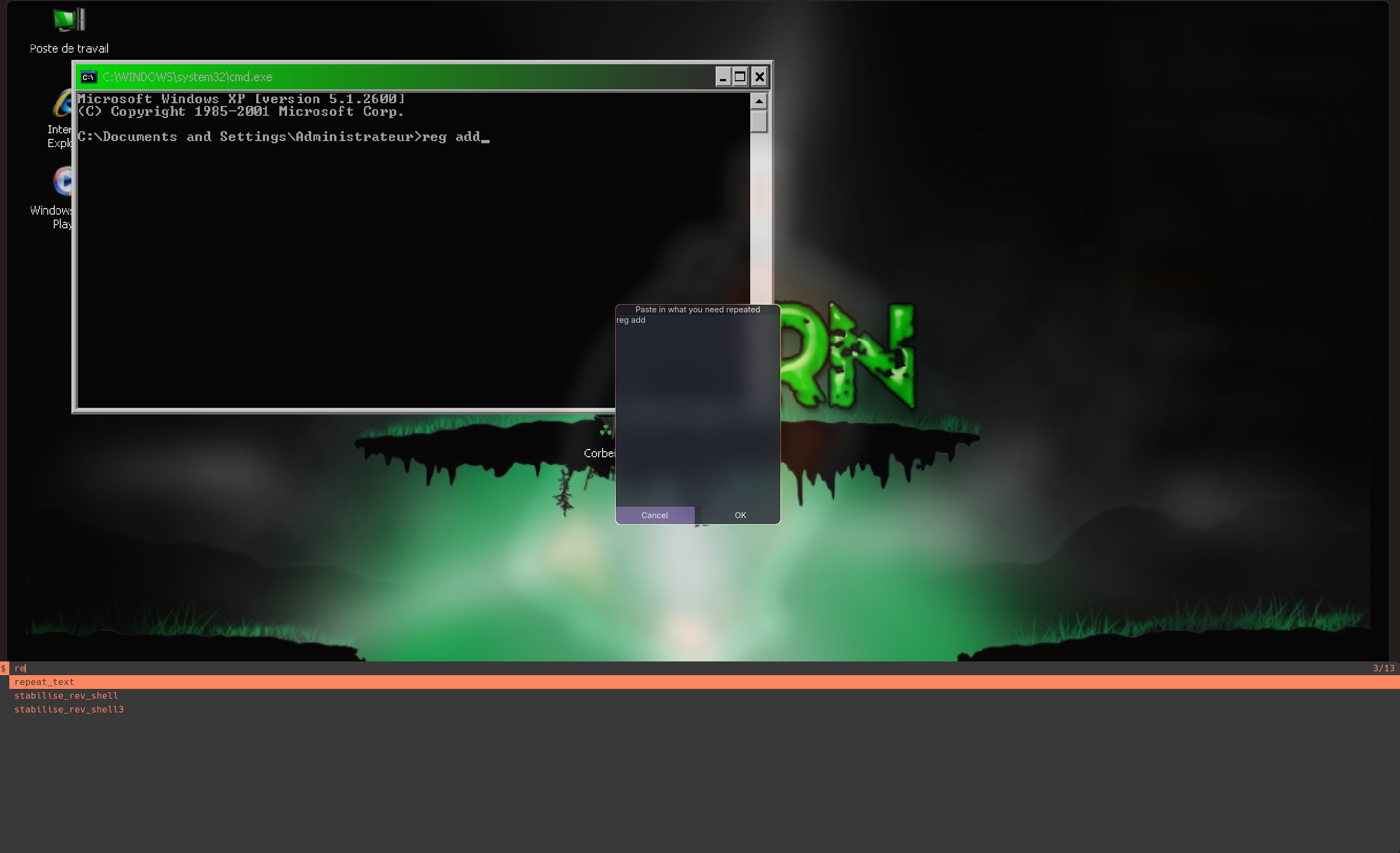
In the previous versions of p3ng0s I started adding a few quality of life features like a built in Rubber Ducky to autotype commands onto SSH/RDP sessions to avoid me remembering the actual windows syntax of things I wanted to do. In the new versions of p3ng0s this is clearly more powerfull. With AI most of the time when i forget the syntax of something I will just prompt AI to fix up the syntax for me like the command is usually 90% there with a few key arguments not in the correct order or whatever this involves a lot of Copy/Pasting so I added a copy/paste autotype command system in dmenu_keyboard:
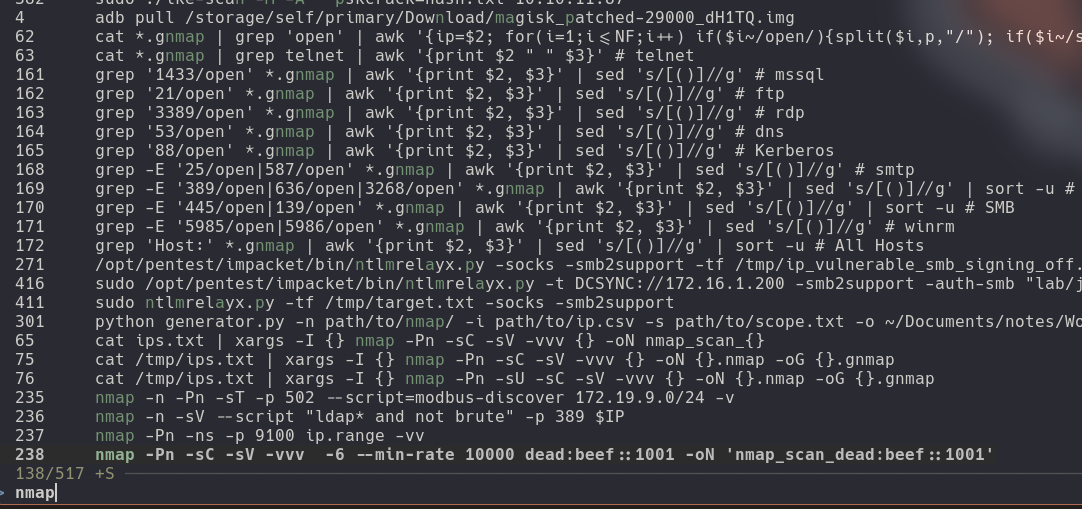
Throughout last my main project was to migrate off notion and fully switch to obsidian for my notes to be in a folder on my system and accessible to all of the linux commands. The reason I originally wanted to do this was for creating first command templates and then automate parts of my tests. Now with this release of p3ng0s I have a bunch of shortcuts mapped to my checklist. First is linux command templates those are usually in code blocks labeled with bash since that's the shell I use so capturing the commands is quite trivial:
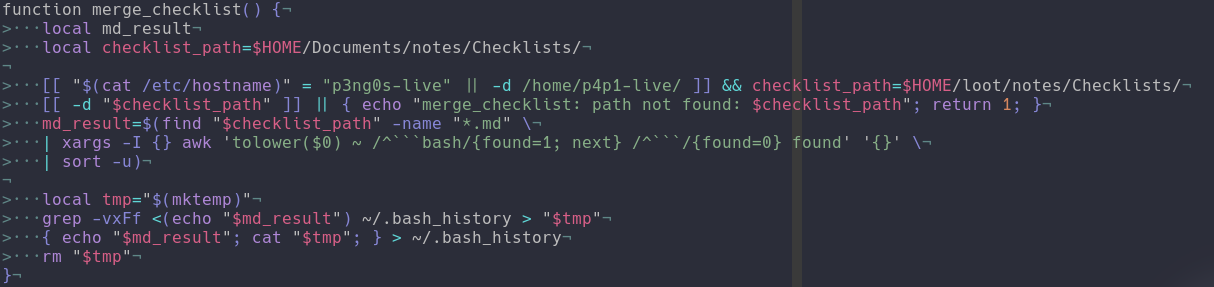
Now from that we can then put all of the commands in our bash_history and boom a fully accessible command shortcut accessible through fzf:
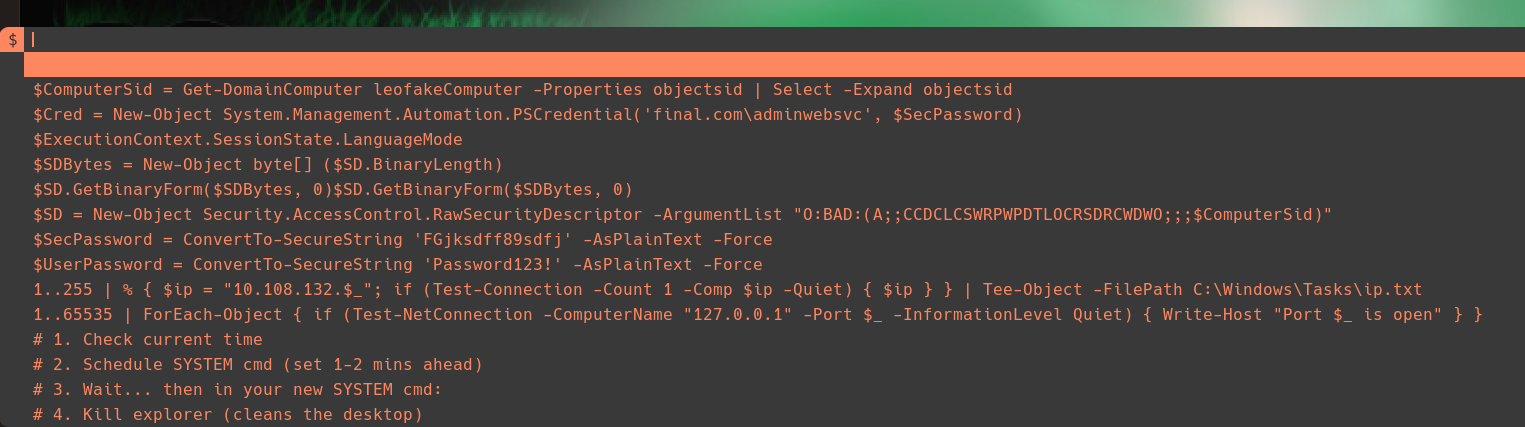
That's cool but nothing a tool like exegol doesn't already provide. Where it gets quite good is with powershell. Since when I rdp, evil-winrm on a machine i end up going through the whole Copy/Paste issue described before it would be great to source the powershell commands like the bash ones and have them autotype to not be shell dependent it's just system wide:
For the first post about the p3ng0s rewrite I will leave it at that. Come back next week on Thursday for the rest of what p3ng0s can now do!
Categories
p3ng0s
Questions / Feedback
Donate

If you like the content of my website you can help me out by donating through my github sponsors page.