p3ng0s devlog #2: Cracking hashes
Created on Tue. 14 April 2026
These posts are a series please start reading at devlog #1 here. Welcome back :) so now we are going to tackle the actual new stuff on p3ng0s.
p3ng0s: A live linux distribution designed by me for physical engagments and red team automation.
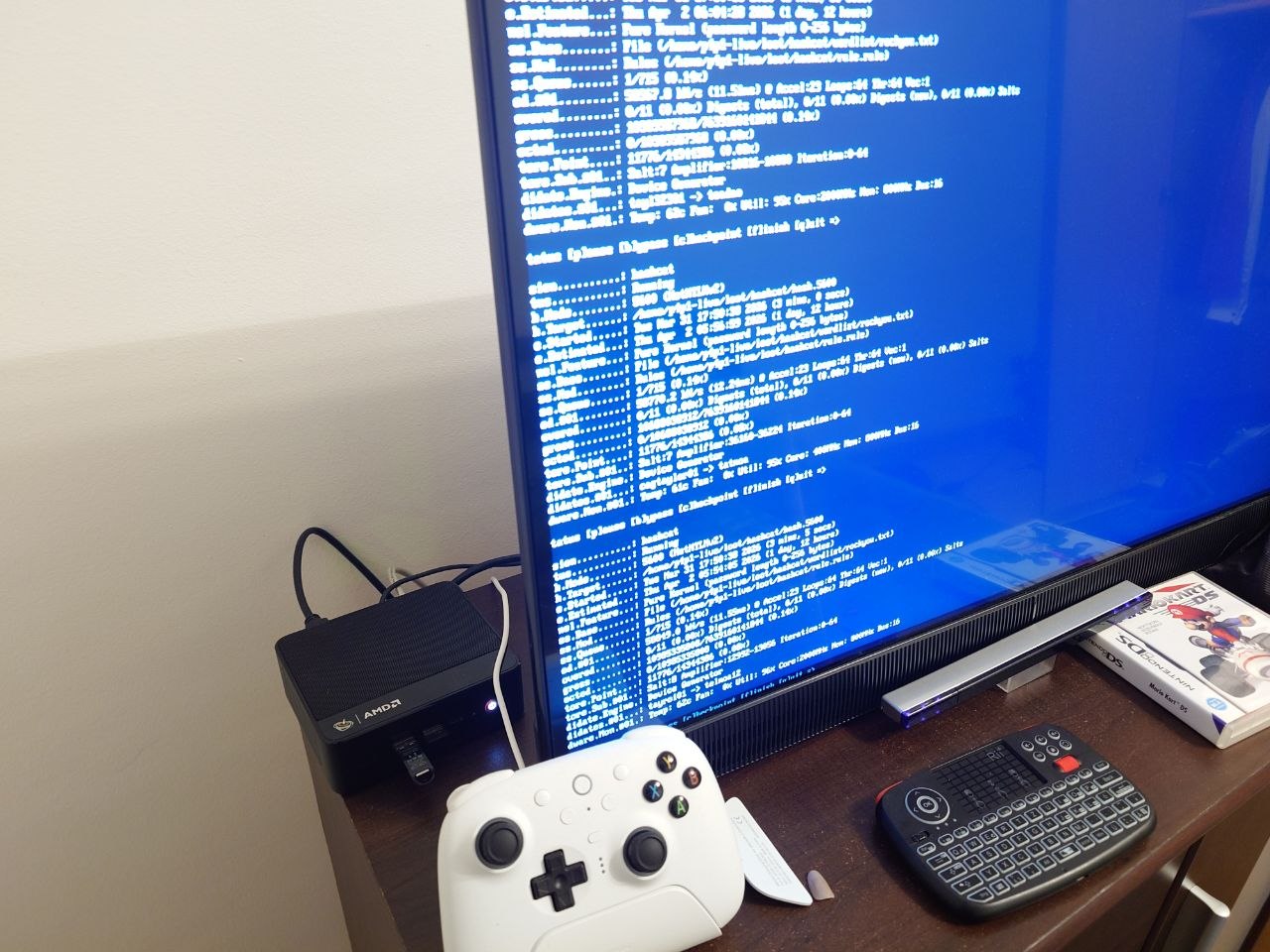
At home I have a thinkpad laptop for pentest/work a steam deck for play time when i don't feel like coding anymore and finally a BeeLink ser 5 pro for my TV with a batocera setup similar to one of my old blog posts. Because of this I specifically picked a laptop without a GPU and everything else beefy (RAM, CPU whatnot). This was a decision so I don't do play stuff on my work machine. This obviously introduced the issue where I couldn't crack hashes effectively with that laptop.
Systemd Architecture & LOOT Structure
I slightly touched this section in the first blog post but here is where I wanted to actually explain this in more details. The Concept is quite simple once you have it laying out in front of you even with 0 systemd knowledge.
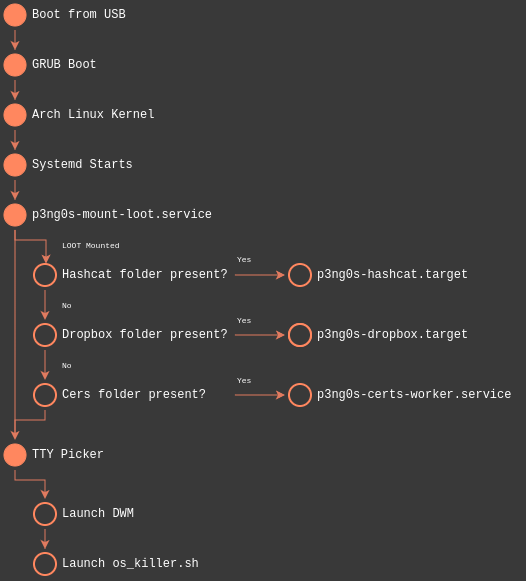
The previous image explains the whole architecture quite nicely. On boot
of the system p3ng0s will start looking for the LOOT partition in the usb
drive. From there it will mount it and check for magic folders.
If any of those folders are present stop the generic boot process and isolate
to that systemd.target. A systemd target is basically a succession
of process that control a state of a computer. Example: A window manager target
would have all the service underneath it that are meant to be used by a window manager
like xorg or whatever other services needed by that window manager. Now an isolation
inside of systemd is actually quite extreme it will kill everything else other than what is
inside of the .target or what is required by it.
Inside of the LOOT partition there are the magic folders I mentioned
before the idea was quite simple I need a way to reliably tell systemd
dynamically what mode to systemd.target isolate on and if they
are not present proceed with normal boot.
loot/
├── dropbox/             # The folder to configure dropbox mode
├── hashcat/             # The folder to configure hashcat mode
│   ├── debug            # if this file is present you will boot in a debug shell
│   ├── rule.rule        # Hashcat rule file in case it is needed
│   ├── hash.0
│   ├── hash.1400
│   ├── hash.3200
│   └── wordlist/        # You can provide custom wordlists in this folder
│       └── custom.txt
├── certs/               # The folder for certificates to have them pre-install
└── reg/                 # Registry file attacks
Now in the previous example you see a few folders the first two are mapped in p3ng0s to a systemd target then the other two are just simple services and scripts. Right now we will focus on the hashcat mode!
Hashcat Mode
Alright so back to my first point in this article the idea was this. If
I can't crack hashes on my hacking system why don't I just use my gaming
ones! From there I started thinking of how to do that. Once booted kill
everything crack the hashes and let's go that's where what I learned during
my systemd exploration night came back into my mind. Isolation was the key
since the steam deck is great it's also not a professional GPU cracking
rig how do I go about squeezing everything out of it to crack one or two
hashes overnight? The answer was obviously systemd.target isolation.
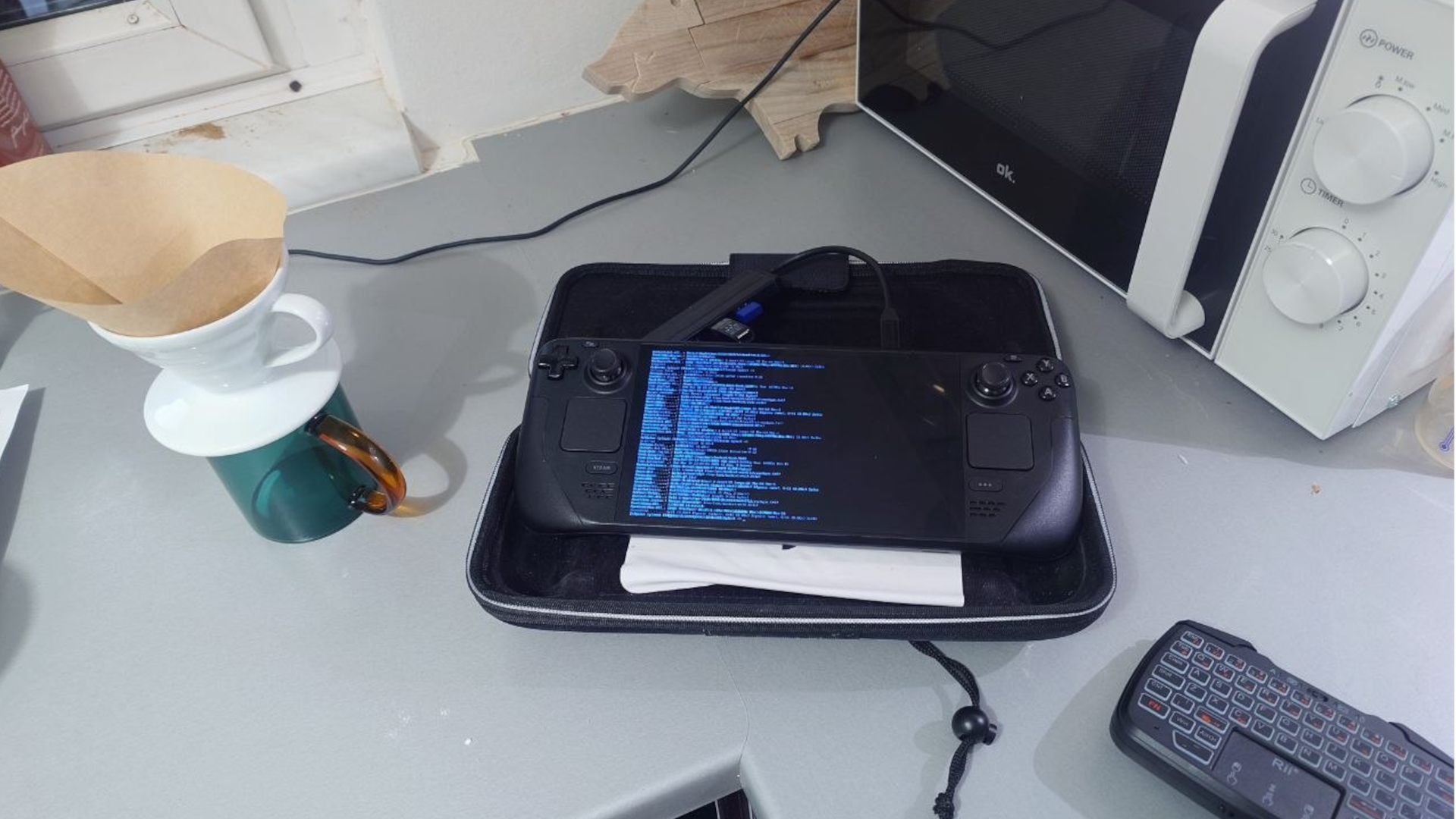
So I started working on the design of this whole project. First I needed
to at least separate the hashes into individual modes. Since not every
hash is cracked the same I needed to find a way to simply tell hashcat
this is hash is this mode. I decided to go with the following system:
hash.[hashcat_mode_number]. From that every file is it's own
hashcat mode and algorithm I could have as many hash.* files
so that hashcat can crack each one independent from my input and send
them to a special completed/ folder with the syntax cracked.*
for the clear text password of every hash. Now the GPU is great and all
but I'm not that much of a GPU expert and we still need the cpu for some
parts of the cracking process why not squeeze that too. So before cracking
we set every CPU core to performance to actually just abuse the hardware:
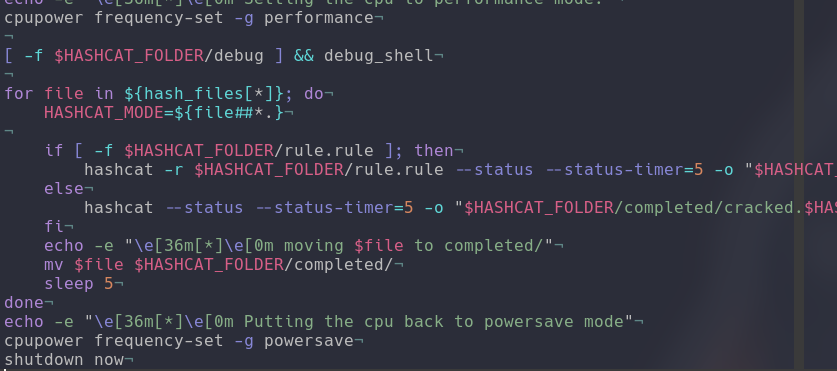
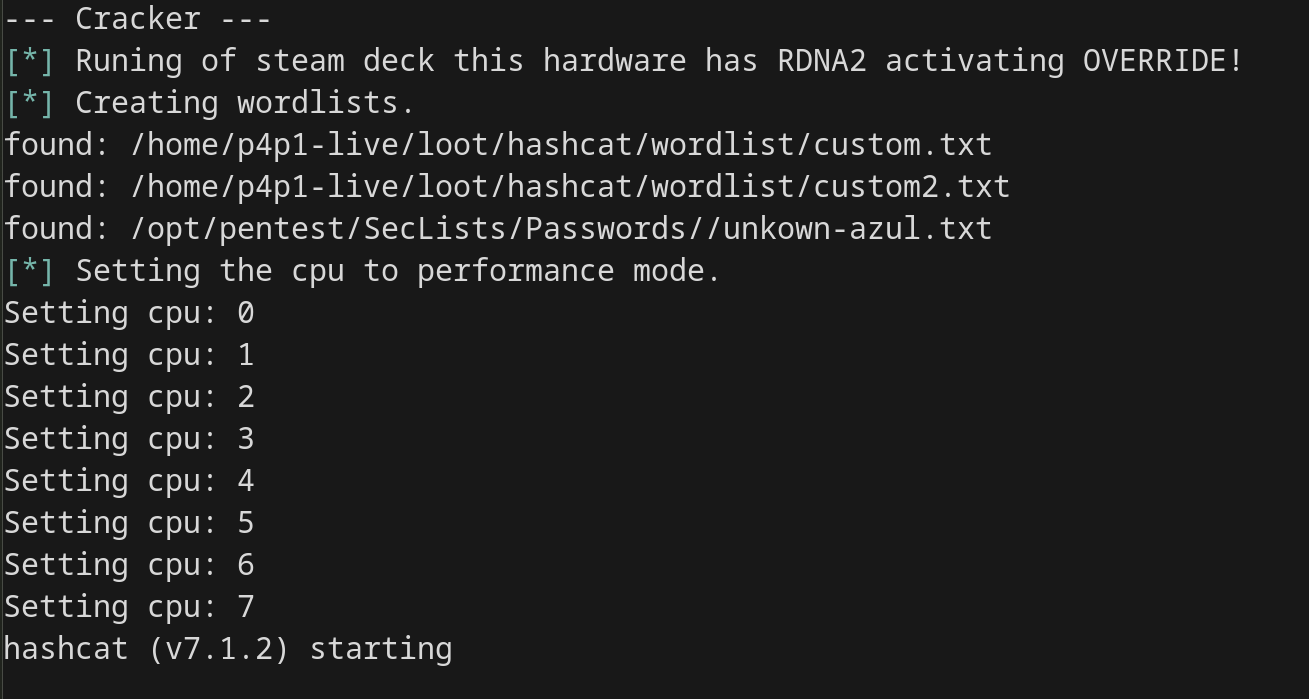
Here is a screenshot of the cracking logic quite simple you can see
we get the mode with HASHCAT_MODE then if a rule file is
present include it in the cracking if not no need to use a rule start
cracking! Now for wordlists I personally never been a big fan of cracking
so I don't use anything different from Seclists ones so I included those
in git-appocalypse by default in the big option with every tool I unzip
rockyou and whatnot to have as many wordlists as possible. There is also
support for custom wordlists if you want to include your own in loot/hashcat/custom/
With those you can go crazy and they are run first in the list so custom
is always tested against the hashes first.
This is great but in life things never go to plan so I added the option
to have a debug shell directly in the hashcat target if you place a file
called loot/hashcat/debug. This will give you a shell to debug
what happened in the hashcat mode. There also is a debug.log
file created during the execution of the target to see every command every
found wordlist in the execution of the commands great to have to see
down the line what happened. By default hashcat mode will power off the
hardware once the work is done. So that you can later inspect the debug.log
file if you are unlucky or see the clear text credentials in the hashcat/completed
folder.
I hope you enjoyed this shorter blog post about p3ng0s stay tunned for next week where we will be discussing about the dropbox mode of p3ng0s!
Categories
p3ng0s

Questions / Feedback
Stickers & Donations
If you like the content of my website you can get the amazing stickers from this websize. You can also support me through my github sponsors page.