p3ng0s devlog #3: Dropbox
Created on Tue. 21 April 2026
These posts are a series please start reading at devlog #1 here. Welcome back :) After the introduction to the systemd architecture in the last blog post we are now going to go in depth in that setup in this post!
p3ng0s: A live linux distribution designed by me for physical engagments and red team automation.
A little over two years ago at work I shifted from typical external, application security style of engagements to more on premise / internal network style of engagements. This is where we hit a wall corporate networks usually don't allow for outbound strange protocols like SSH and openvpn this is where I did a bunch of research into bypassing firewalls with SSL wrappers for openvpn. In my case I specifically looked into stunnel (a blog post is about this here). From that original research I wanted to make a dope dropbox this is where p3ng0s boot structure and my original build a cool dropbox plan met quite nicely. We covered the boot structure with systemd in the previous post about hashcat.
LOOT Structure
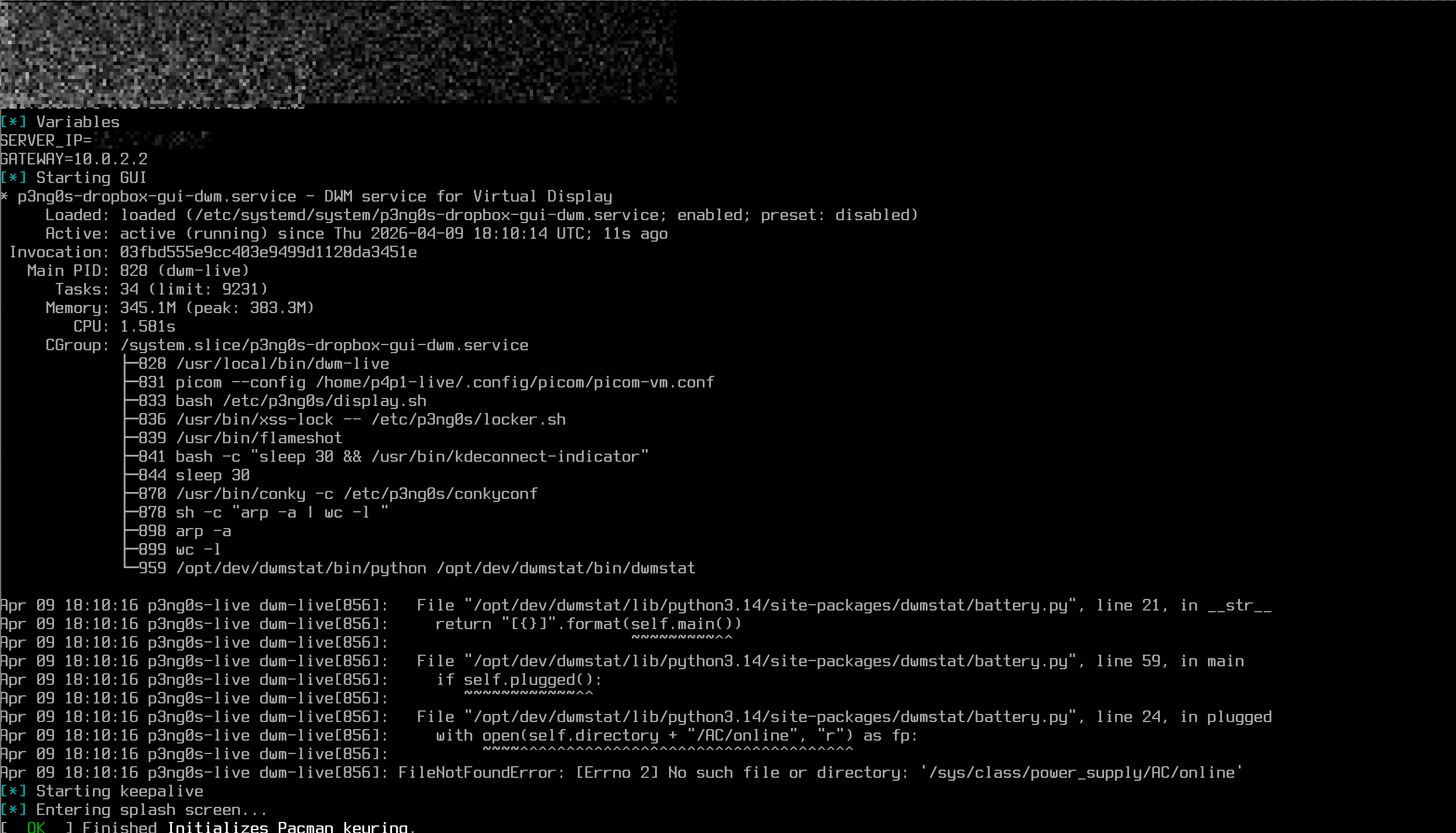
After using that dropbox setup described in the other article (FYI: you don't need to have read it to understand this post). I had a few pain points. Let's say you change VPS server or reboot it and have a different IP assigned that means you have to sit down and edit each individual file one by one. This would bother me since we realistically reset the box every 5months, yes eventually I will know those commands by heart but it still leaves enough of a gap to forget one minute detail. So with the dropbox my main point was to tackle this issue have it drop in the config file the OS handles the rest so that if we change the IP of the attack server all the files to edit are in one single place. See my frustration of this process in the screenshot :)
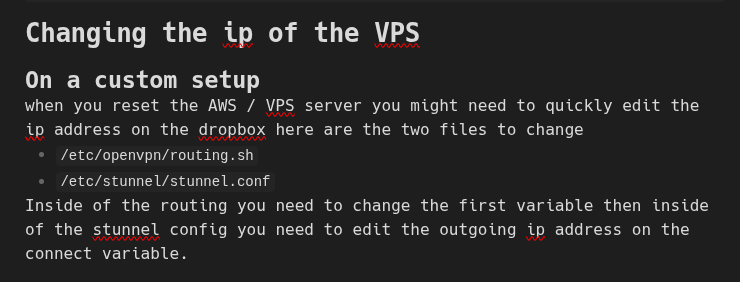
So to tackle this what if the files where in a single folder in the loot we then would only need to edit the LOOT folder and not worry about each individual system location. From there also adding extra configuration would be trivial.
loot/
├── dropbox/             # The folder to configure dropbox mode
│   ├── debug            # if this file is present you will boot in a debug shell
│   ├── client.ovpn      # The VPN config file
│   ├── config           # The dropbox configuration
│   ├── sshd_config      # The SSH config file
│   ├── hostnames.txt    # nethide hostname list
│   ├── conquest.toml    # C2 configuration
│   └── splash.png       # tty splash screen
├── hashcat/
├── certs/               # The folder for certificates to have them pre-install
└── reg/                 # Registry file attacks
During boot once the loot/dropbox folder is found then we take
the correct files and map them to the correct system location solving my
initial issue. This is actually done with the mount command

The reason of this decision was the following: what if we have 2 attacking
servers? Then you can bake in a initial config inside of p3ng0s enable the
service and run the dropbox in a "manual" mode or you could use the loot partition
to overwrite that config and go to the covert dropbox mode. Now this structure
allows a lot of control of how the host behaves since we are editing directly
the openvpn file and the stunnel config the routing is done by the dropbox
script using the variables inside of the file loot/dropbox/config.
Allowing you to not have to rebuild a .iso for every engagement or editing
a buggy VM. Now p3ng0s dropbox mode comes with a cool covert mode
since we control the boot and decide what is shown on screen we could have
a splash screen matching your company logo a little don't touch message.
So that when you brake into a company (legally of course) you can plug in a
dumb USB that you boot from and have it show a message like Maintenance in progress
and people likely won't want to mess with that computer.
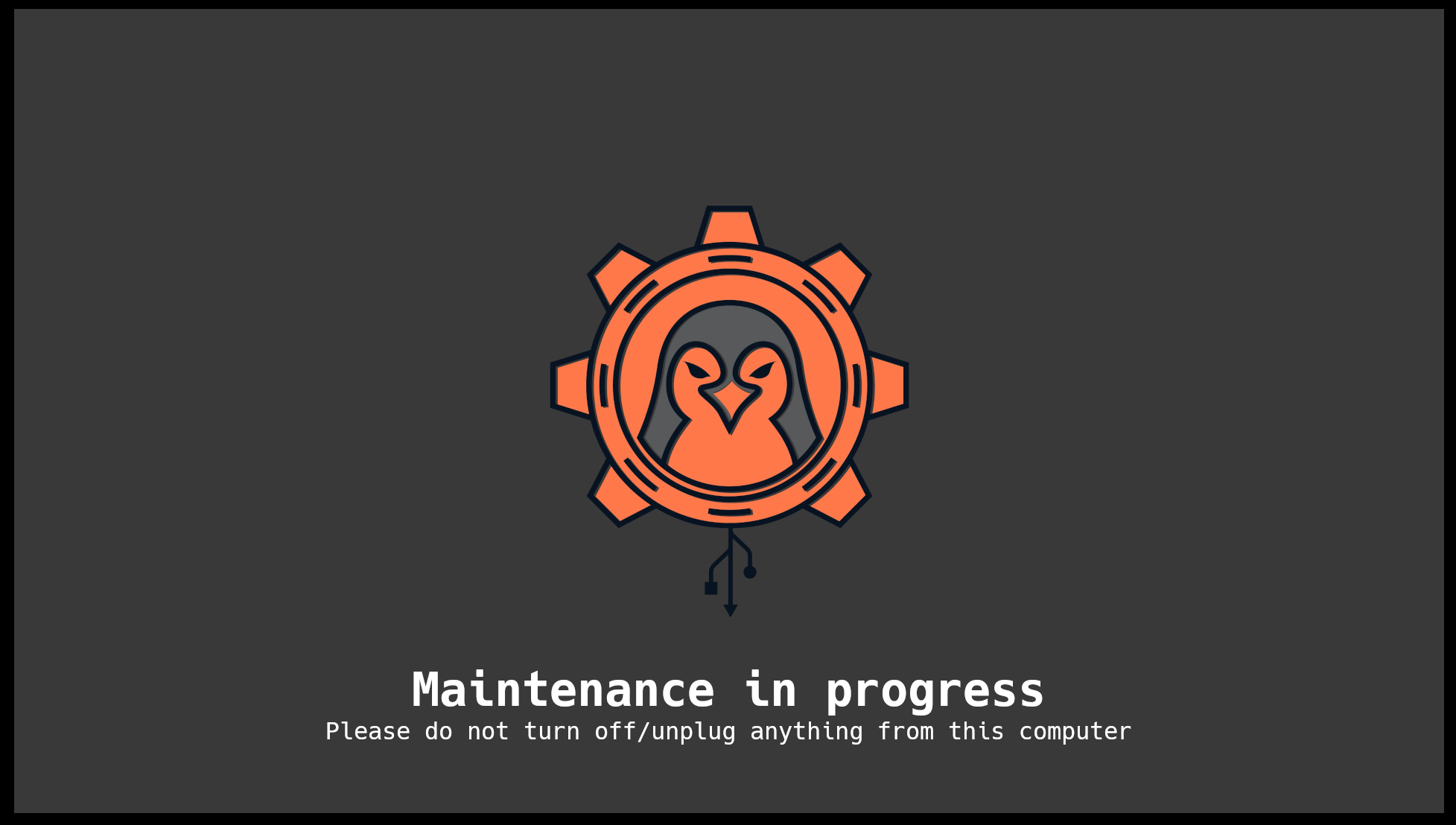
For V2 I'm actually thinking of making this feature a lot cooler where on the TTY we would have a splash screen and if we catch a mouse mouve or keyboard interaction show a 2nd splash screen with a warning text.
Similar to the hashcat mode, dropbox mode ships with a full debug interface
allowing you to debug the dropbox on the go. All the logs of the script are
also stored in dropbox/debug.log allowing you to see what
happened on the machine after running the dropbox.
Integrated Features
p3ng0s dropbox comes with cool integrated features. The main one for me
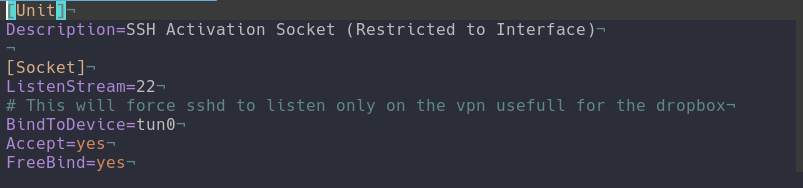
is SSH ^^. p3ng0s handles SSH through systemd.socket instead
of the actual service running we are waiting on a specifc interface tun0
once this interface is up we start the systemd.socket. This
will only wait on tun0 so on the client network on eth0 or wlan0
port 22 is never visible to anyone scanning our dropbox:
p3ng0s also comes with pre-packaged conquest C2 which is also started at
boot and can be modified through the dropbox/conquest.toml profile
in the loot partition. Check out this post on conquest
and on github here.
Since the GUI is so light with DWM like mentioned in the first post I also thought it would be great during engagements if we want to look at websites without having to forward their whole network to us through ligolo via the vpn we could just use the GUI via vnc and use GUI apps so by default the dropbox has VNC open on 127.0.0.1 and you can access it via
ssh -L 5901:127.0.0.1:5901 p4p1-live@dropbox
vncviewer localhost:5901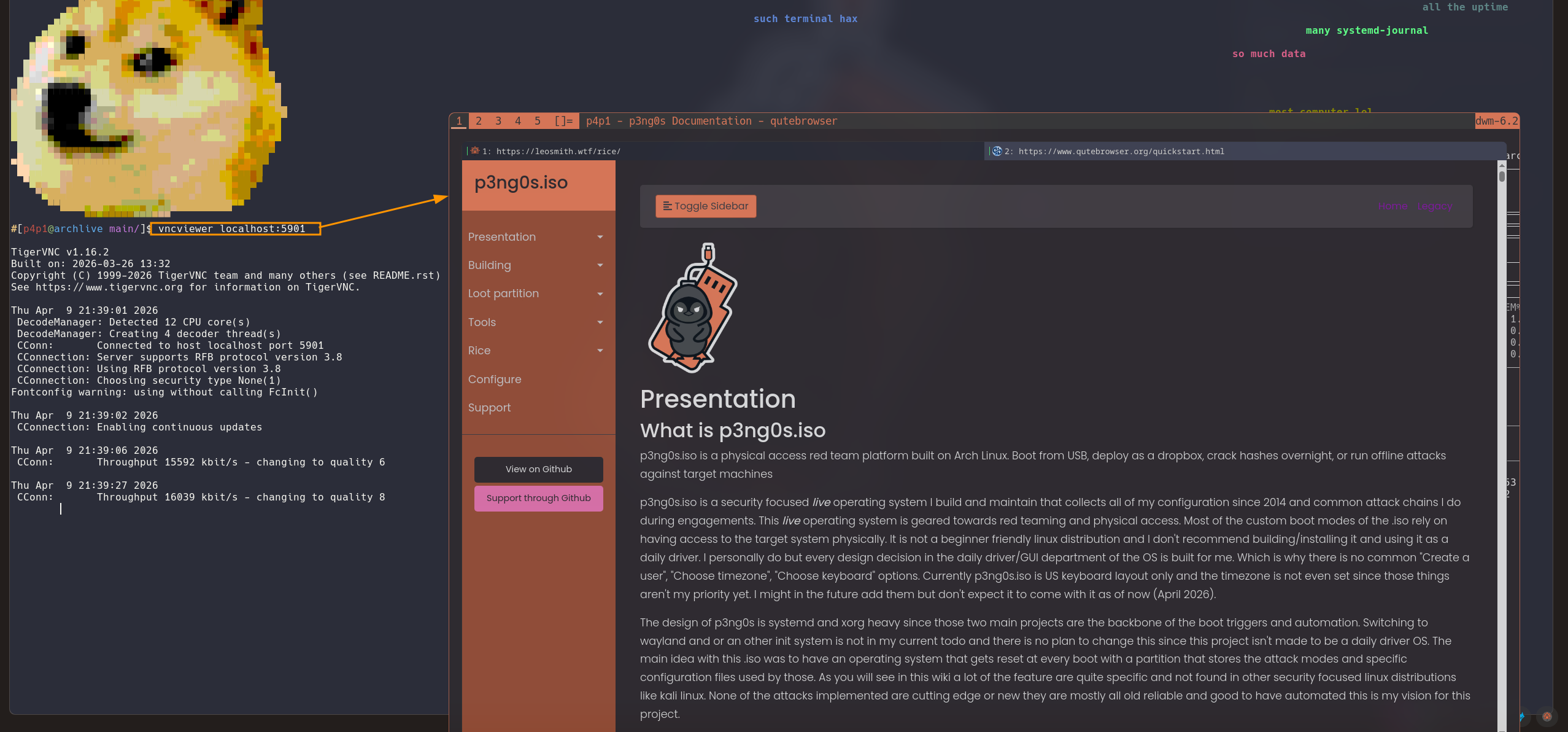
The last main feature of the dropbox is the network hide systemd.timer.
My thinking was this what if we use the p3ng0s dropbox during a purple team
engagement and the blue team wants to shut down the access to our dropbox ip?
Wouldn't it be great if we could roll a new ip and continue attacking the network
This is where I built the following:
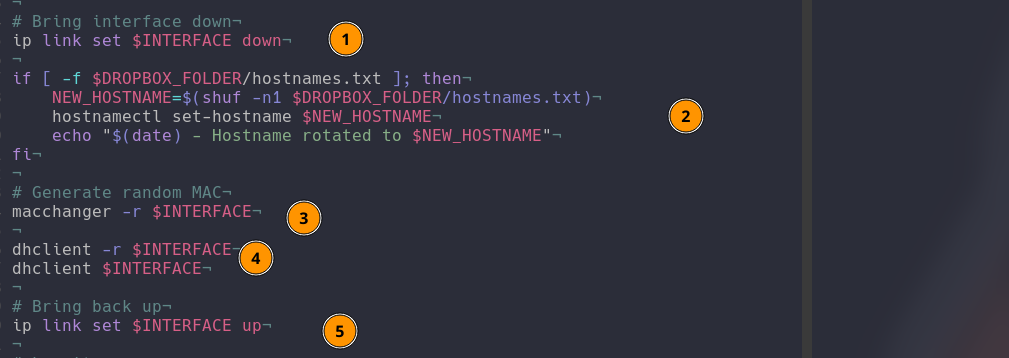
The script is quite simple first take down the interface that is on the client
network, change out the hostname you could put a list of real devices on a
client network to really mess with the blue team. Then randomize the mac
address for the network to assign us a new ip address then put the interface
back online. This feature has 2 main modes. First is manual you can start the
p3ng0s-dropbox-nethide.service and it will run the script once
which is great in the heat of the action or you can set it on a timer by starting
the p3ng0s-dropbox-nethide.timer this will auto run this script
randomly between 1-2 hours so it will look like clients are disconnecting
and reconnecting every other hour which would then be a nightmare to actually
find :)
Thank you so much for reading the dropbox feature is the one I am the most proud of in this project and I like it very much please tell me what you think. See you next week for the 4th post explaining physical access attacks that you can do with p3ng0s ;)
p3ng0s

Questions / Feedback
Stickers & Donations
If you like the content of my website you can get the amazing stickers from this websize. You can also support me through my github sponsors page.